Smart re-importing
Changed layout values can update without wiping untouched Studio edits. Export again after design changes. Figblox merges instead of replacing everything.
Design in Figma, run it in Roblox Studio.
When something changes, export again and merge updates in place.
Changed layout values can update without wiping untouched Studio edits. Export again after design changes. Figblox merges instead of replacing everything.
Figma auto layout becomes UIListLayout, UIGridLayout, and UIPadding. Spacing, alignment, padding, and direction carry over automatically.
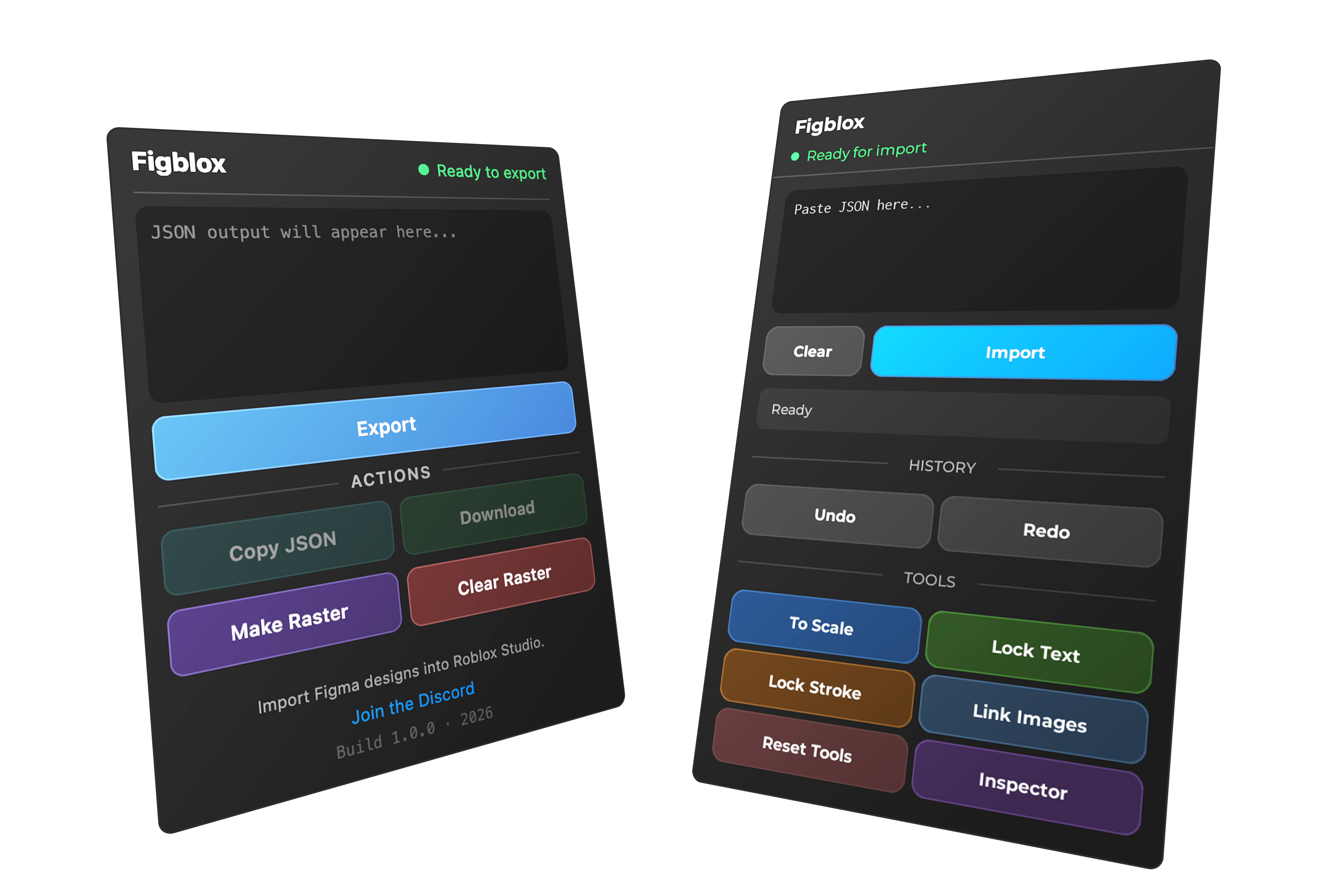
To Scale, Lock Text, and Lock Stroke handle responsive behavior. Confirming an import runs the usual tool chain. You do not need to run those manually every time.
JSON and bundled images from Figma; paste into Studio and open Preview first. [+] new, [~] changed, [=] in sync. Then Confirm.
Plugin overview
Choose the license that fits your workflow
Monthly
$12.99 / month
Flexible billing
Try FigbloxYearly
$99 / year
Best value for steady shipping
Try FigbloxLifetime
$149 one-time
Pay once, keep building
Try FigbloxAvailable on Polar. Contact for Robux payment or custom licensing.